Google Ads Appeal Engine
Complete Policy Compliance & Dynamic Appeal Assistant
Verification Quiz
Professional Appeal Draft
Aap is high-quality draft ko copy karke direct Google appeal submit form par paste kar sakte hain.
How to Use Google Ads Appeal Authority: A Step-by-Step Recovery Guide
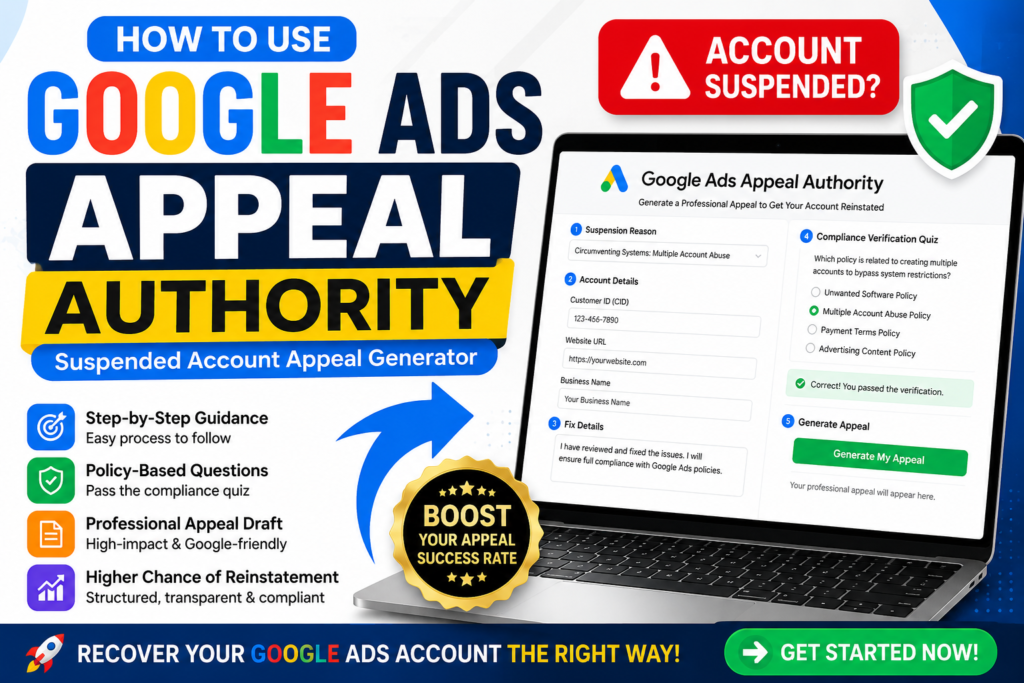
Facing a Google Ads suspension is stressful, but a structured, compliant appeal is your best path to recovery. Our Google Ads Appeal Authority tool is designed to simplify the complex appeal process into a clear, logical, and effective workflow.
Follow this guide to generate a professional, high-impact appeal that gives your account the best chance for reinstatement.
Step 1: Select Your Specific Suspension Reason
Start by identifying the exact suspension reason stated in the notification email from Google.
- In the “Suspension Reason“ dropdown, choose the category that matches your case (e.g., Circumventing Systems, Unpaid Balance, or Multiple Account Abuse).
- Why? Our engine dynamically updates the form fields based on your selection, ensuring you provide only the relevant technical details required for that specific policy violation.
Step 2: Provide Precise Account & Technical Details
Once selected, the tool will reveal a tailored form.
- Enter your Customer ID (CID), Website URL, and Business Information accurately.
- In the “Fix Details” section, be specific. Instead of writing “I fixed it,” explain the technical actions you took. For example, if you faced Malicious Software, specify, “I scanned my server, removed the infected script, and updated my CMS plugins.”
Step 3: Pass the Compliance Verification Quiz
This is a unique feature of our tool. Before generating an appeal, you must pass a short quiz based on your chosen suspension type.
- Why? Google’s review team looks for an understanding of the violation. The quiz validates that you have actually identified the issue and are ready to remain compliant.
- If you answer incorrectly, the tool will alert you, allowing you to review the policy before proceeding.
Step 4: Generate & Review Your Professional Appeal
After passing the verification, click the button to generate your appeal.
- The tool creates a professional, industry-standard appeal draft designed for senior specialist review.
- Pro Tip: Before submitting, read through the generated text. If you have any additional relevant documentation (like a screenshot of a cleared invoice or a malware scan report), you can mention them in the appeal.
Step 5: Submit & Monitor
Copy the generated draft and paste it into the official Google Ads Appeal form.
- Ensure that any additional requested documents are attached as required by the Google appeal submission portal.
- Avoid submitting multiple appeals for the same suspension; once you have submitted your precision-crafted appeal, allow the Google team time to conduct a thorough manual review.
Important Success Tips for Your Appeal:
- Transparency is Key: Never try to hide information. Google’s systems are advanced, and identifying your own mistakes is seen as a sign of good faith.
- Audit Before Appeal: Ensure your website and account are fully compliant before you click the “Submit” button.
- Stay Patient: Manual reviews can take time. Our tool ensures your documentation is perfect, but the actual processing time depends on Google’s internal review queue.
Ready to start your recovery? [Go back to the Google Ads Appeal Generator]